
Court bundle and eBrief software
A court-ready brief in under five minutes.
Cover page, hyperlinked index, dividers, Bates numbering. The job a paralegal loses a day to, and has to start again when one document arrives late.
Ready to start? Create an account·Already using Bundles? Log in
Every product is part of LAPM OS. Take one piece, or the whole suite.
Why it is different
Built for the bench
Generated, not assembled
Cover page, hyperlinked table of contents, document index, divider pages, continuous Bates numbering and bookmarks are produced by the system. Nothing is stitched together by hand.
Court formats applied
Federal Court eBrief and the NSW formats applied to the finished PDF, rather than approximated.
Change it and regenerate
Add a document at four in the afternoon and the index, numbering and bookmarks all move. That is the part that used to cost the day.
How it works
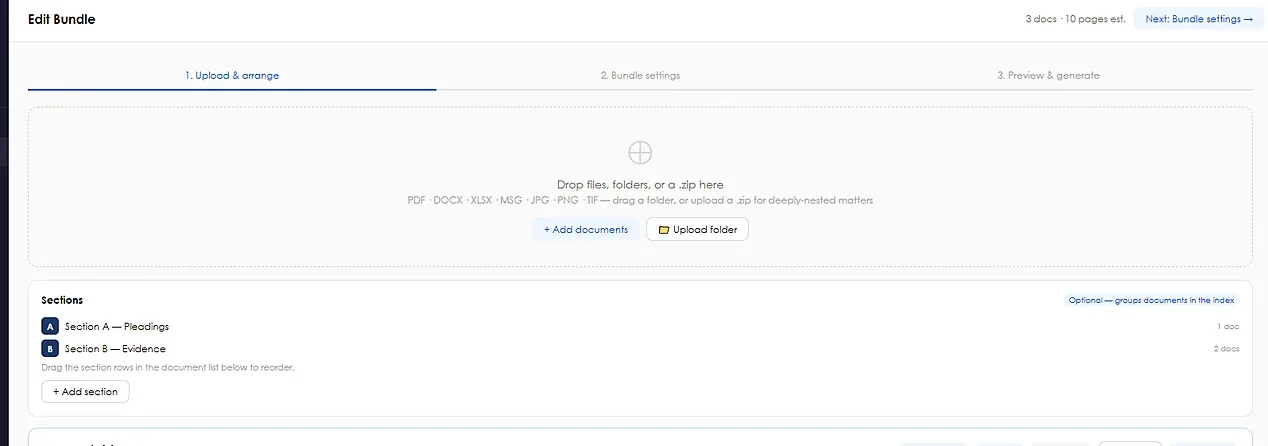
Drop in, drag, generate.
- Drop the documents in
Any order, any format. Bundles reads them and works out what it is looking at.
- Arrange
Sections, dividers and reference pills set by dragging.
- Generate
One PDF with a hyperlinked index, continuous Bates numbering and bookmarks, in court format.
“There is virtually no learning curve. You don’t need to install anything or involve IT — you simply open Bundles in a browser, upload your documents and build the bundle. It is incredibly straightforward and doesn’t break the budget.”
Jennifer Eather, Director, Higgins LawyersPricing
$25 per user / month, or included with LAPM OS.
Questions
Bundles questions, answered.
How much does LAPM Bundles cost?
$25 per user per month, and a free trial is available on request. Bundles is also included in LAPM OS.
Which court formats are supported?
Federal Court eBrief out of the box, plus NSW Supreme, District and Local Court formats.
Do we need to install anything?
No. Bundles runs in any browser, with no install and no IT setup.
What file types can we upload?
PDF, Word, Excel and RTF, up to 50 MB each. Office files convert in the background, and OCR runs automatically on scans so every word is searchable.
Send us a folder of documents.
We will build the bundle and send you the PDF, so you can see the index, the numbering and the bookmarks on your own matter.